
MobileTech R5.0 for Signature5.0.42 - App Store
You'll be able to see results in few seconds.
Publisher Description

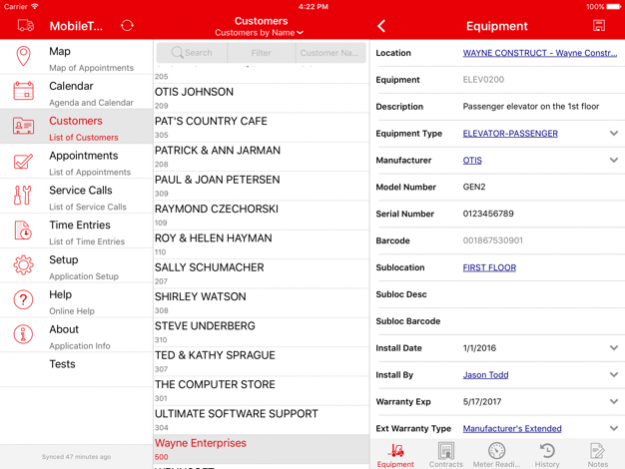
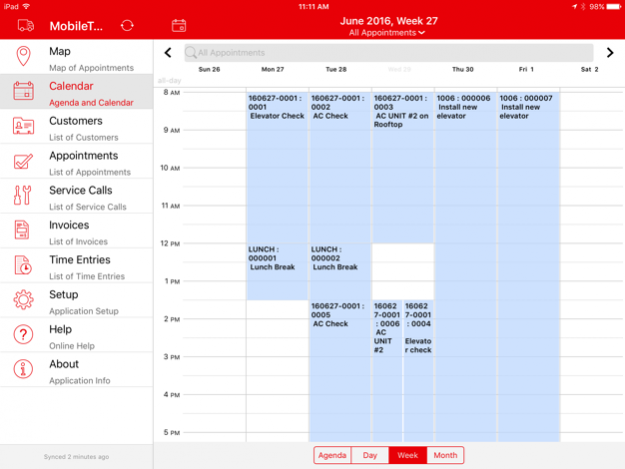

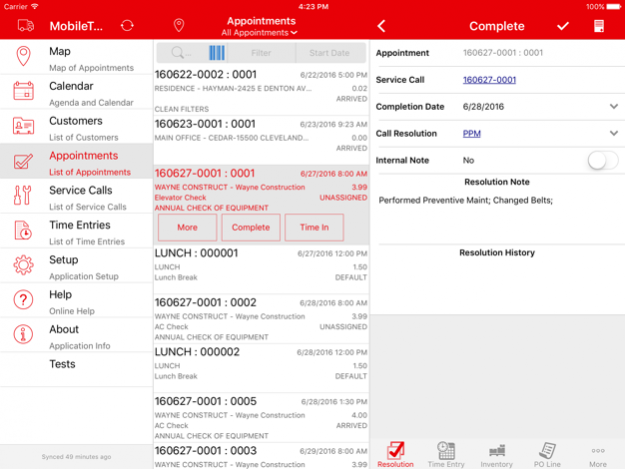
IMPORTANT: MobileTech R5.0 is compatible with Signature 2013 R3 SP3, Signature 2015 R2 SP1, and Signature 2016.
DO NOT INSTALL THIS WITHOUT TALKING TO YOUR SYSTEM ADMINISTRATOR
See the Readme for more information.
Features
- Technicians can view task materials and create inventory transactions for them
- Documents can be copied and pasted into MobileTech as attachments
- Technicians can email or call customer contacts from Contact form
- Technicians can see which appointments they’re timed into
- Time In/Time Out fields added to Summary tab and to Call Summary and Appointment Summary reports
- Building information displayed for equipment (Signature 2016 only)
- Error log can be cleared
- Administrators can change admin account passwords
- Scanned barcodes filter the unassigned equipment list
- New filtering and sorting options available on lists
- Refresh specific lookups
- Middle-tier database cleanup job set up as a recurring job
Issues Fixed
- Significant load data performance improvements
- Final appointment summary report is saved in the company database
- Service Management error resolved when no autonumber is set up
- MobileTech icons display correctly when bold text is enabled on the device
- Cleanup job enhancements
- Changes to the Default Week-Ending Day setting in TimeTrack are honored in MobileTech
- Sync logic performance improvements
- Completing or reopening all tasks in a task hierarchy works correctly for any Default Task Status
- Quantity hard-coded to 1 for serialized items on inventory transactions
- List prices can’t be negative for certain item types on inventory transactions
- Update triggers work when you run a mass update
- Filter limits the number of timesheet entries that are displayed
- MaxSyncRecords setting is retained after changing technicians
- Performance improvements when completing a large number of tasks
- Negative numeric task responses are allowed in MobileTech
- Available views changed for invoices
Jul 18, 2016 Version 5.0.42
This app has been updated by Apple to display the Apple Watch app icon.
About MobileTech R5.0 for Signature
The company that develops MobileTech R5.0 for Signature is WennSoft, LLC. The latest version released by its developer is 5.0.42.
To install MobileTech R5.0 for Signature on your iOS device, just click the green Continue To App button above to start the installation process. The app is listed on our website since 2016-07-18 and was downloaded 0 times. We have already checked if the download link is safe, however for your own protection we recommend that you scan the downloaded app with your antivirus. Your antivirus may detect the MobileTech R5.0 for Signature as malware if the download link is broken.
How to install MobileTech R5.0 for Signature on your iOS device:
- Click on the Continue To App button on our website. This will redirect you to the App Store.
- Once the MobileTech R5.0 for Signature is shown in the iTunes listing of your iOS device, you can start its download and installation. Tap on the GET button to the right of the app to start downloading it.
- If you are not logged-in the iOS appstore app, you'll be prompted for your your Apple ID and/or password.
- After MobileTech R5.0 for Signature is downloaded, you'll see an INSTALL button to the right. Tap on it to start the actual installation of the iOS app.
- Once installation is finished you can tap on the OPEN button to start it. Its icon will also be added to your device home screen.
Program Details
System requirements
Download information
Pricing
Version History
version 5.0.42
posted on 2016-07-18
Jul 18, 2016 Version 5.0.42
This app has been updated by Apple to display the Apple Watch app icon.
version 5.0.42
posted on 2016-07-18
Jul 18, 2016 Version 5.0.42
This app has been updated by Apple to use the latest Apple signing certificate.
version 5.0.42
posted on 2016-07-18
18 Jul 2016 Version 5.0.42
This update is signed with Apple’s latest signing certificate. No new features are included.
version 5.0.42
posted on 2016-07-18
version 5.0.42
posted on 2016-07-18
Jul 18, 2016 Version 5.0.42
This update is signed with Apple’s latest signing certificate. No new features are included.
version 5.0.42
posted on 1970-01-01
18 juil. 2016 Version 5.0.42
This update is signed with Apple’s latest signing certificate. No new features are included.
Disclaimer
Official App Store Link
We do not host MobileTech R5.0 for Signature on our servers. We did not scan it for viruses, adware, spyware or other type of malware. This app is hosted by Apple and passed their terms and conditions to be listed there. We recommend caution when installing it.
The App Store link for MobileTech R5.0 for Signature is provided to you by apps112.com without any warranties, representations or guarantees of any kind, so access it at your own risk.
If you have questions regarding this particular app contact the publisher directly. For questions about the functionalities of apps112.com contact us.
